
You get the alert — or worse, a blacklist notice: the outbound mail queue on one server is climbing. Hundreds of messages, then thousands. A queue that grows on its own is rarely the mail server choking; it’s almost always something generating mail that shouldn’t exist — a compromised mailbox blasting spam through your server with perfectly valid credentials.
And the clock is running. Every minute it sends, your IPs drift closer to a blacklist that takes days to climb out of and drags every legitimate customer on that server down with it.
The queue is the symptom, not the disease
Restarting Exim or flushing the queue feels like progress and fixes nothing — the source just refills it. The two questions that matter are: who is injecting this mail, and how do you cut them off without taking the whole server’s email down with them?
Step 1: name the sender, not just the volume
Open the AI Assistant and say it plainly:
The outbound queue on this server is exploding. Who’s sending?
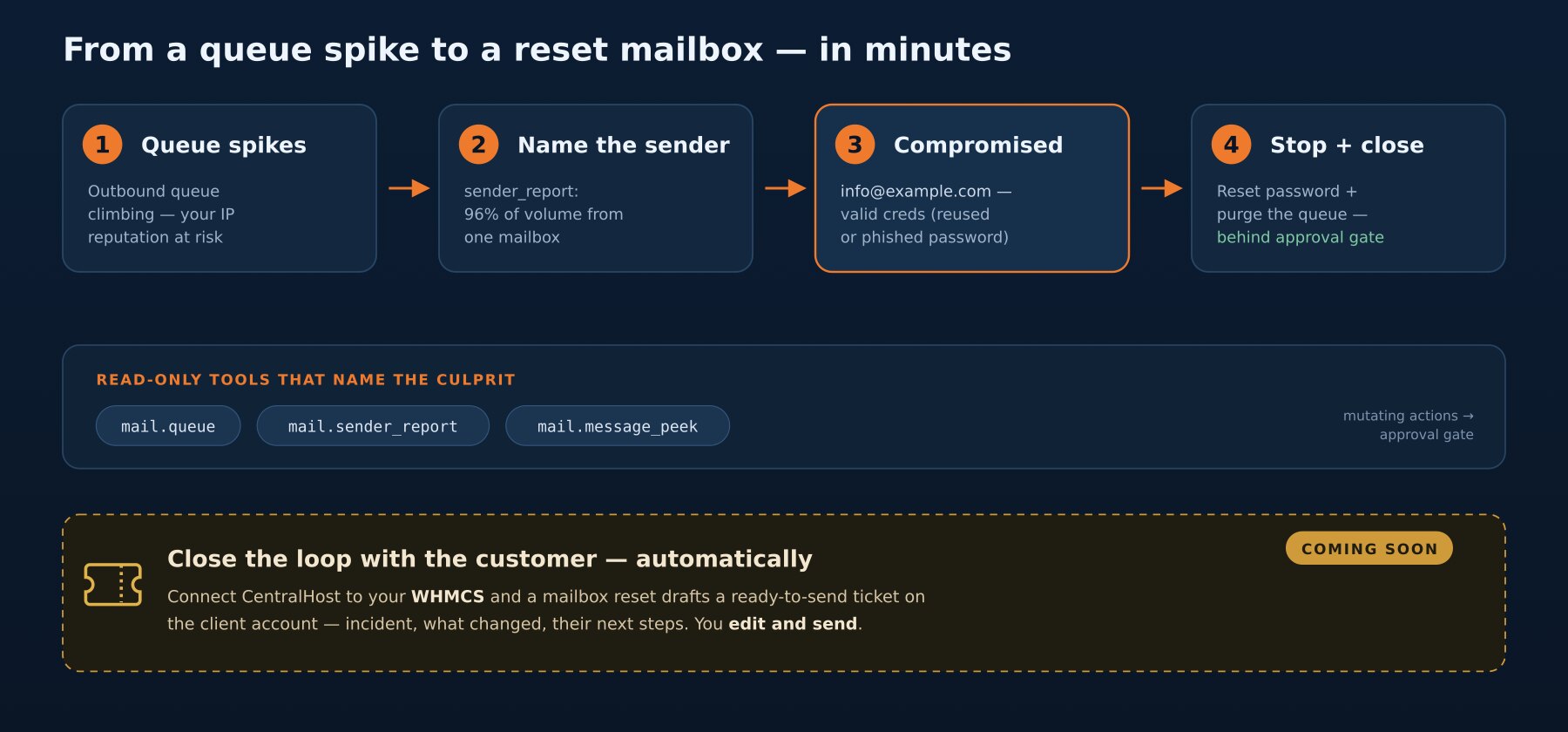
It runs mail.queue (size, age, top recipients) and mail.sender_report (which authenticated user sent what), and the picture lands in seconds: 4,800 queued messages, 96% of them authenticated as info@example.com, fanning out to recipients across hundreds of domains this account has never once emailed. That’s not a newsletter gone wrong. That’s a hijacked mailbox.
The how is almost always boring — a password reused from a site that got breached, or a convincing phish. The credentials are valid, so every filter on the way out waves the mail through as a legitimate authenticated send. That’s exactly why volume alone never finds it; you have to look at who authenticated, which is the report the Assistant pulls first.
Step 2: stop the bleed and close the hole
Two moves, in order — and the Assistant proposes both:
- Cut the source. Reset the password on
info@example.com. That instantly kills the attacker’s authenticated session — no new spam can be injected. - Drain the damage. Hold and purge the spam still sitting in the queue (
mail.queue_action), so legitimate mail keeps flowing and your IPs stop sending.
Because these change the server, they stop at the approval gate: the exact mailbox, the exact action, shown to you before anything runs. You click approve; the password rotates, the queue drains, the bleeding stops. Minutes — not the half hour it takes to SSH in, grep Exim logs by auth user, and reset a password through the panel while the queue keeps climbing.
Step 3: tell the customer — without the busywork (coming soon)
Resetting the password locks the customer out of their own mailbox, so now you owe them a message: your account was compromised, we secured it, here’s what to do next. Writing that — calm, with the new credentials and the steps to re-add the account on their phone — is its own small chore, and you do it every single time.
Coming soon: connect CentralHost to your WHMCS and this last step drafts itself. When the Assistant resets a compromised mailbox, it opens a ready-to-send ticket on the right client account — incident summary, what changed, the steps for them — and hands it to you to edit and send. You keep control of the wording and the moment it goes out; CentralHost just removes the blank page.
The pattern
A spiking queue is one of those incidents where the fix is trivial and the triage is the whole cost — finding which of N mailboxes turned hostile before your sending reputation pays the bill. CentralHost compresses it end to end: the source named in seconds, the fix one approval away, and — soon — the customer email written before you’ve even reached for it.