What is CentralHost?
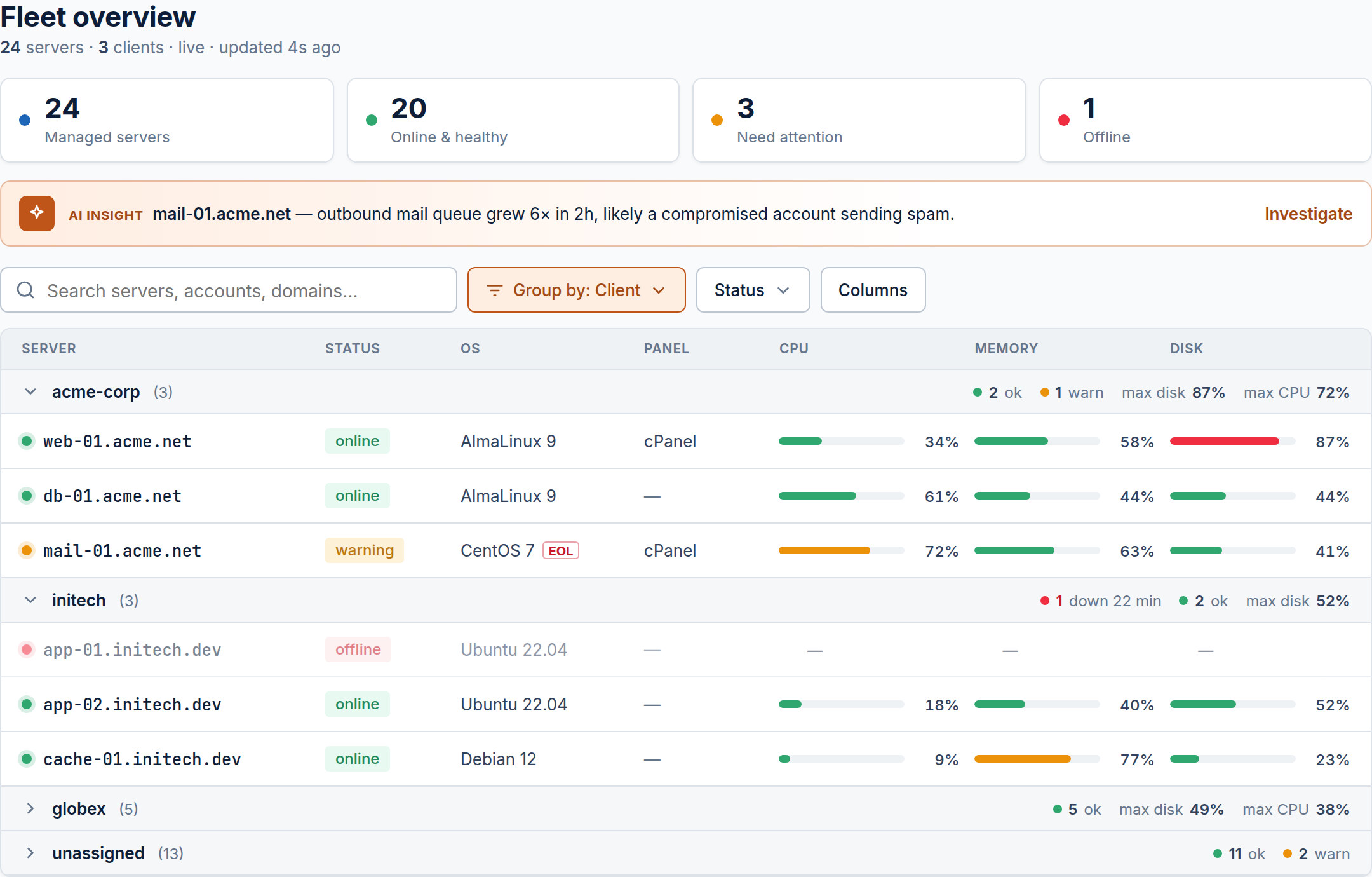
A centralized operations platform for Linux server fleets, with an AI assistant at the center.
CentralHost is the operational command center for your Linux server fleet. Instead of juggling a dozen SSH tabs and scattered dashboards, you monitor, troubleshoot, secure and operate every server from a single web interface — with a senior AI Assistant that investigates incidents and proposes fixes you approve.
The pieces
A CentralHost deployment has three parts you interact with:
- The web app — where you see your fleet, run the AI Assistant, open a browser SSH terminal and review security findings.
- The agent — a lightweight, statically-linked daemon you install on each managed server. It ships inventory and metrics, and opens an authenticated channel for remote actions.
- The control plane — the encrypted hub the agent connects to. It’s how remote access works without exposing port 22 to the internet.
How control works
The agent always dials out to the control plane over an authenticated, encrypted connection — your servers never accept inbound SSH from us. Every action that modifies a system is gated behind your explicit approval and recorded in an audit log.
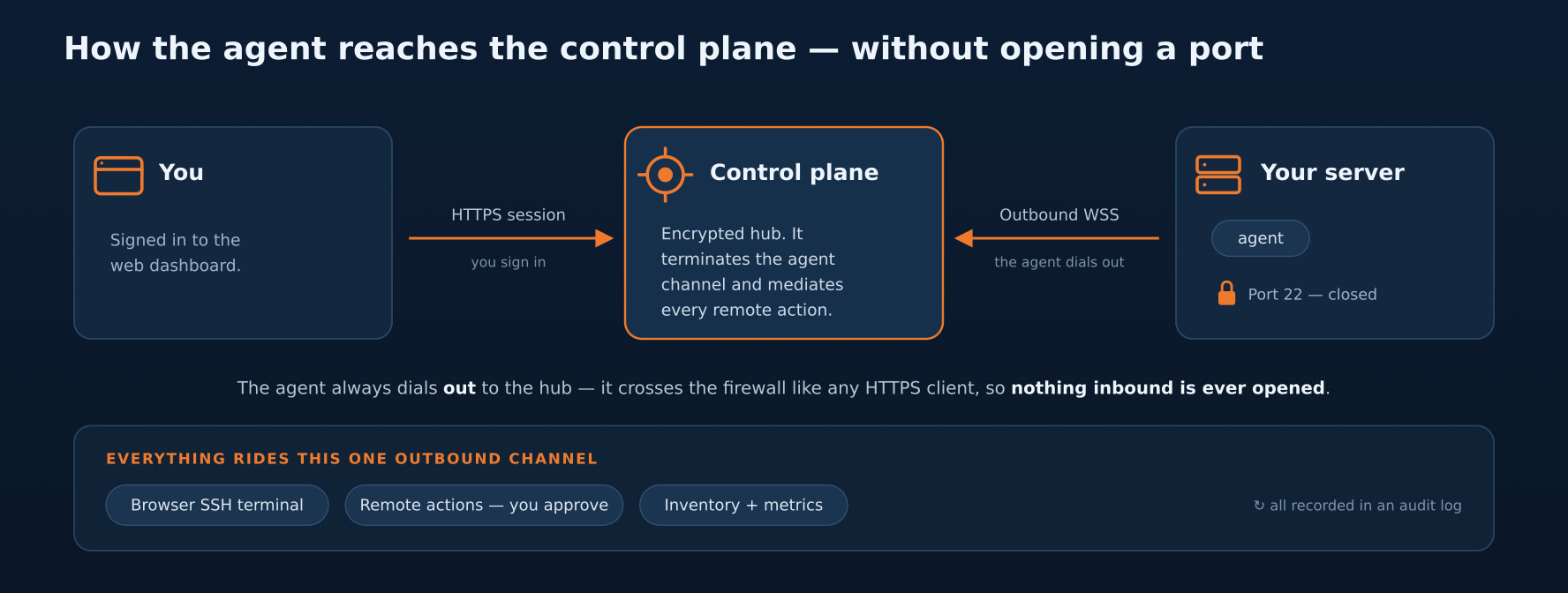
Every browser terminal session is authorized per-operator — you sign in with two-factor authentication — and rides a short-lived, single-use signed token. There are no standing root passwords or SSH keys stored on our side, and the agent verifies each token before granting anything. For the full trust chain, from your login to the root shell, see how the web terminal stays secure.
Where to go next
- Connect your first server from the dashboard and watch it appear in your fleet — the fastest path, no terminal required.
- Once it’s online, close the SSH port with a bastion to take port 22 off the internet.
Your first server is always free — you can complete this whole flow without entering payment details.